n8n AI Agent Prompt Injection: The Lethal Trifecta and the Rule of Two
One crafted email can turn an n8n AI agent into a data leak. Here is the lethal trifecta, Meta's Rule of Two, and how n8n's human review for tools keeps your workflows safe.
An n8n AI Agent that reads your inbox, can look up customer records, and can send email is one well-written message away from leaking data. Nobody has to hack n8n for this to happen. The agent does what any text it reads tells it to, because a language model has no reliable way to separate your instructions from instructions hidden in the content it processes. If you are wiring agents into real business systems, this is the failure mode worth designing around before anything else.
The lethal trifecta: three properties that must not meet
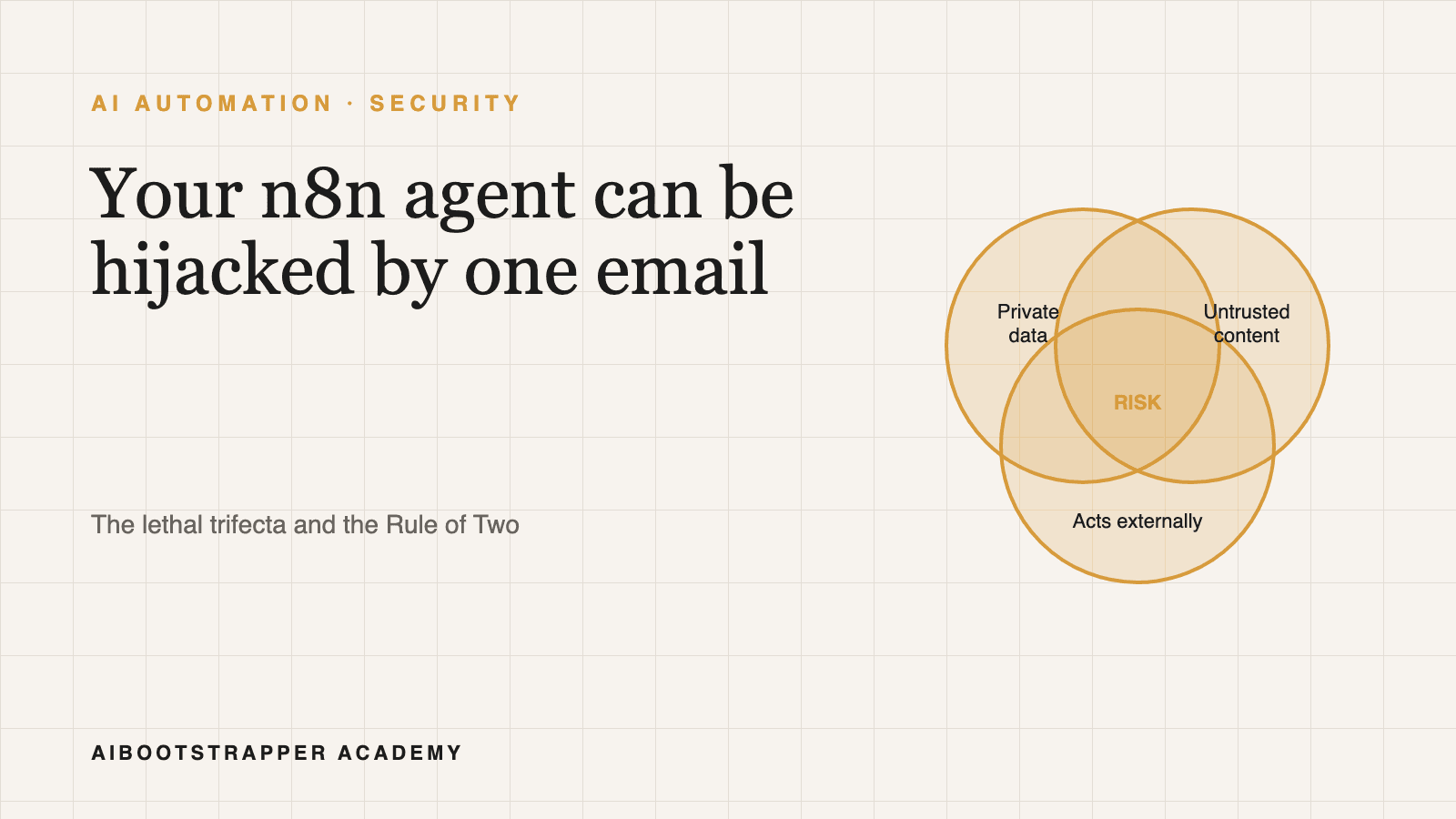
Security researcher Simon Willison named the pattern in The Lethal Trifecta for AI Agents (16 June 2025). An agent becomes dangerous when it combines access to private data, exposure to untrusted content, and the ability to communicate externally. Any one is fine. All three together mean a single injected instruction can read something private and send it out.
His core point is that LLMs cannot reliably tell where an instruction came from. A sentence buried in an email, web page, or PDF is processed the same way as your system prompt. That is why "add a guardrail line to the prompt" is a weak defence: it is one more piece of text competing with the attacker's text.
Where n8n workflows accidentally build the trifecta
n8n makes the trifecta easy to assemble by accident. Picture a support workflow: a Gmail trigger (untrusted content: anyone can email you), a tool that queries your CRM or Google Sheet (private data), and a Gmail or Slack send tool (external communication). Each node looks harmless on the canvas. Connected to one AI Agent node, they form all three legs. The agent decides which tools to call, so the attacker's email effectively decides too.
Other common shapes: a web-scraping tool feeding an agent that also has database access and an HTTP Request tool; a webhook chatbot with access to internal docs and a send-email tool. Check your own agents by asking, for each one: what untrusted text can reach it, what private data can it read, and what can it send or change?
The Rule of Two: treat the legs as a budget
Meta's Agents Rule of Two (31 October 2025) turns this into a design rule. Within one session an agent should satisfy no more than two of: (A) processing untrustworthy inputs, (B) accessing sensitive systems or private data, (C) changing state or communicating externally. If a task truly needs all three, Meta says it needs supervision, through human approval or another reliable validation method.
In n8n terms, you have three practical ways to stay inside the budget:
- Drop leg C: an agent that reads untrusted email and your CRM but can only write a draft to a review queue cannot exfiltrate anything by itself.
- Drop leg B: an agent that triages public inbound messages using only a scrubbed summary, with no CRM or file tool attached.
- Drop leg A: an internal agent that only ever processes content your team wrote.
Splitting one powerful agent into narrower agents also helps. The orchestrator-worker pattern lets you give the worker that touches untrusted text no send tools at all, and give the worker with send tools only structured, validated input.
When you need all three: n8n's human review for tools
Sometimes the business case really does need all three. n8n has a built-in answer: human review for tools on the AI Agent node. When the agent tries to call a flagged tool, the workflow pauses and sends the reviewer the tool name and the parameters the model chose. They approve or deny; only then does the tool run. Per the docs, approval channels include the built-in Chat, Slack, Discord, Telegram, Microsoft Teams, Gmail, Outlook, WhatsApp Business Cloud, and Google Chat.
Two details matter. The docs note you need to set up the system prompt so the agent understands which tools need approval and how to handle a rejection. And it is selective: you flag the risky tools (send email, update record, delete) rather than gating everything, which keeps reviewers from rubber-stamping a flood of requests. Read the parameters in the approval message, not just the tool name; an approval for "send email" to an unfamiliar address with customer data in the body is exactly the attack you are trying to catch. For the wider oversight design, see AI agent guardrails and human-in-the-loop oversight.
What this does not solve, and free tools to help
Honest limits: none of this makes prompt injection go away. It limits the blast radius. Approval fatigue is real, and n8n itself, like any self-hosted automation tool, needs patching and locked-down credentials; check the n8n security advisories on GitHub for your version. n8n is source-available with a free self-hosted edition (repo, docs), and alternatives such as Activepieces and Windmill face the same trifecta because the problem lives in the agent design, not the tool. Our comparison of open-source workflow tools covers them.
A quick audit you can do today: list every agent you run, tick which of the three legs it has, and for any with all three, either remove a leg or put human review on its outbound tools.
Going deeper
This post is the threat model. Building agents that hold up under it means designing tool permissions, splitting agents, adding review steps, and testing failure paths in real workflows. That is the practical core of AI Automation Mastery, which goes past the introduction here into building and hardening n8n agent workflows end to end.
Go deeper
AI Automation Mastery
Want the full AI Automation Mastery course, not just this post?
Join the waitlist and get a 20% launch discount the moment we open checkout. No payment now.
Taught by Aditya Jha · 40+ AI products shipped for real clients. No spam, unsubscribe any time.
Or join our free community for AI tips while you wait
One email a week: the AI tools, tactics, and course drops actually worth your time. No spam, unsubscribe anytime.
Questions about this or which course fits? Email academy@aibootstrapper.com and we'll answer it directly, not with a support ticket.