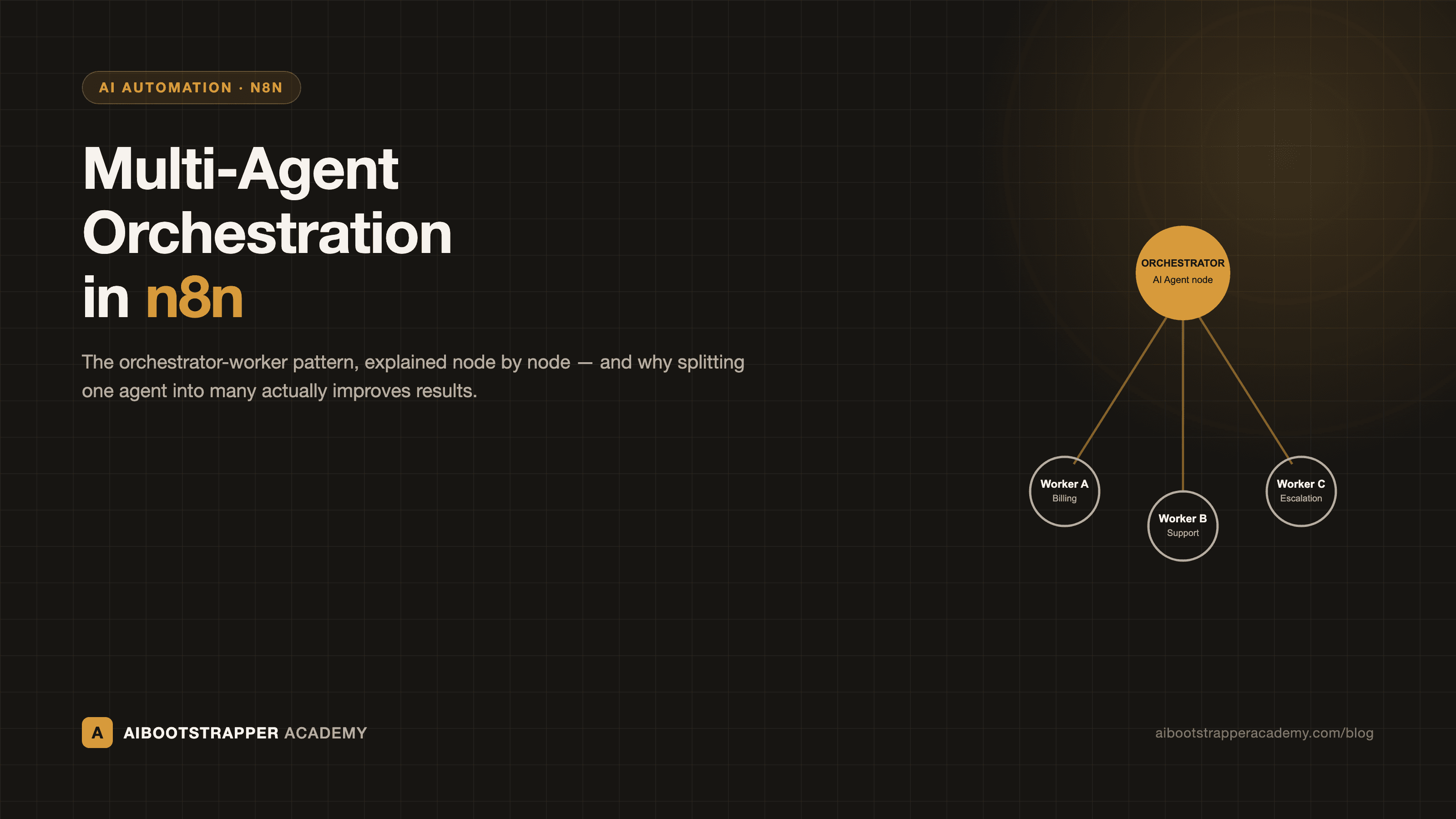
Multi-Agent Orchestration in n8n: The Orchestrator-Worker Pattern Explained
A single AI Agent node with fifteen tools gets slower and less reliable as you add capability, not more capable. Here is how n8n's AI Agent Tool and Call n8n Workflow Tool nodes let you split that into an orchestrator and specialized workers, and the real data on why it works.
Open any n8n AI Agent node that's been in production for a few months and you'll usually find the same thing: one system prompt trying to hold fifteen tools, three different domains of knowledge, and a growing list of edge cases someone bolted on after an incident. It still runs. It's just gotten slower, harder to debug, and quietly worse at picking the right tool for a given request. The fix isn't a longer prompt. It's splitting the work across multiple agents that each do one thing well, which n8n supports natively through what's usually called the orchestrator-worker pattern.
Why a single AI Agent node stops scaling
A single AI Agent node with a long tool list has to do two jobs at once on every run: decide which tool applies, and use it correctly. As the tool list grows, the model's job of choosing correctly gets harder, not easier, because more of the description text competing for attention looks similar. n8n's own engineering team frames the threshold in practical terms rather than a hard number: multi-agent design becomes worth the added complexity once a workflow spans genuinely different domains of expertise, needs to run parts of the work in parallel, or is running into a single agent's context window, and they're explicit that you shouldn't reach for it when "the coordination effort exceeds the benefit" of just keeping one agent (n8n Blog, "Multi-agent systems: frameworks & step-by-step tutorial"). A support-ticket workflow that only ever searches a knowledge base and drafts a reply doesn't need an orchestrator. A workflow routing between billing, technical escalation, and account changes, each with its own tools and its own way of failing, usually does.
The orchestrator-worker pattern, and n8n's two ways to build it
The pattern itself is simple: one root agent reads the incoming request, decides which specialized worker actually owns it, and hands off, rather than trying to be the specialist in everything itself. n8n gives you two genuinely different node types to build the handoff, and picking the wrong one is the most common early mistake.
- AI Agent Tool node: lets a root agent call another agent node directly as a tool, inside the same workflow canvas. Per n8n's own documentation, it exists specifically so you can "use multiple agents in a single workflow without the complexity of managing context and variables that sub-workflows require" (AI Agent Tool node docs). It's the lighter-weight option, and the one worth reaching for first. Its real limitation: sub-nodes resolve expressions against the first input item only, so it isn't the right choice if a worker needs to process a batch of items independently.
- Call n8n Workflow Tool node: calls an entirely separate, published workflow as a tool, complete with its own input schema. You can populate that schema with fixed values, expressions, or let the calling agent fill it in itself via $fromAI() (Call n8n Workflow Tool docs). It's more setup, but it's also the only option when a worker needs to be reused outside the AI context too, or needs its own error handling, retries, and versioning independent of the orchestrator (the same layered retry-quarantine-escalate approach applies per-worker, which is much harder to isolate inside a single canvas of AI Agent Tool nodes).
Both approaches let a downstream worker be added or swapped without redesigning the orchestrator's prompt, since the worker is just another named tool with a description the model reads to decide when to call it.
Why splitting the work actually improves results, not just organization
It's tempting to treat this as a code-cleanliness argument, but the performance case is real and it's been measured at meaningful scale. Anthropic's own engineering team built a multi-agent research system with a lead agent coordinating specialized subagents running in parallel, and found it outperformed a single well-prompted agent by 90.2% on their internal research evaluation, driven mostly by the subagents' ability to investigate multiple independent angles of a query simultaneously instead of serially (Anthropic Engineering, "How we built our multi-agent research system"). The same writeup is honest about the cost: multi-agent systems used roughly 15x the tokens of a single chat interaction, against roughly 4x for a single agent alone, so the pattern only pays for itself on tasks where the quality gain is worth that multiplier, not on every workflow reflexively.
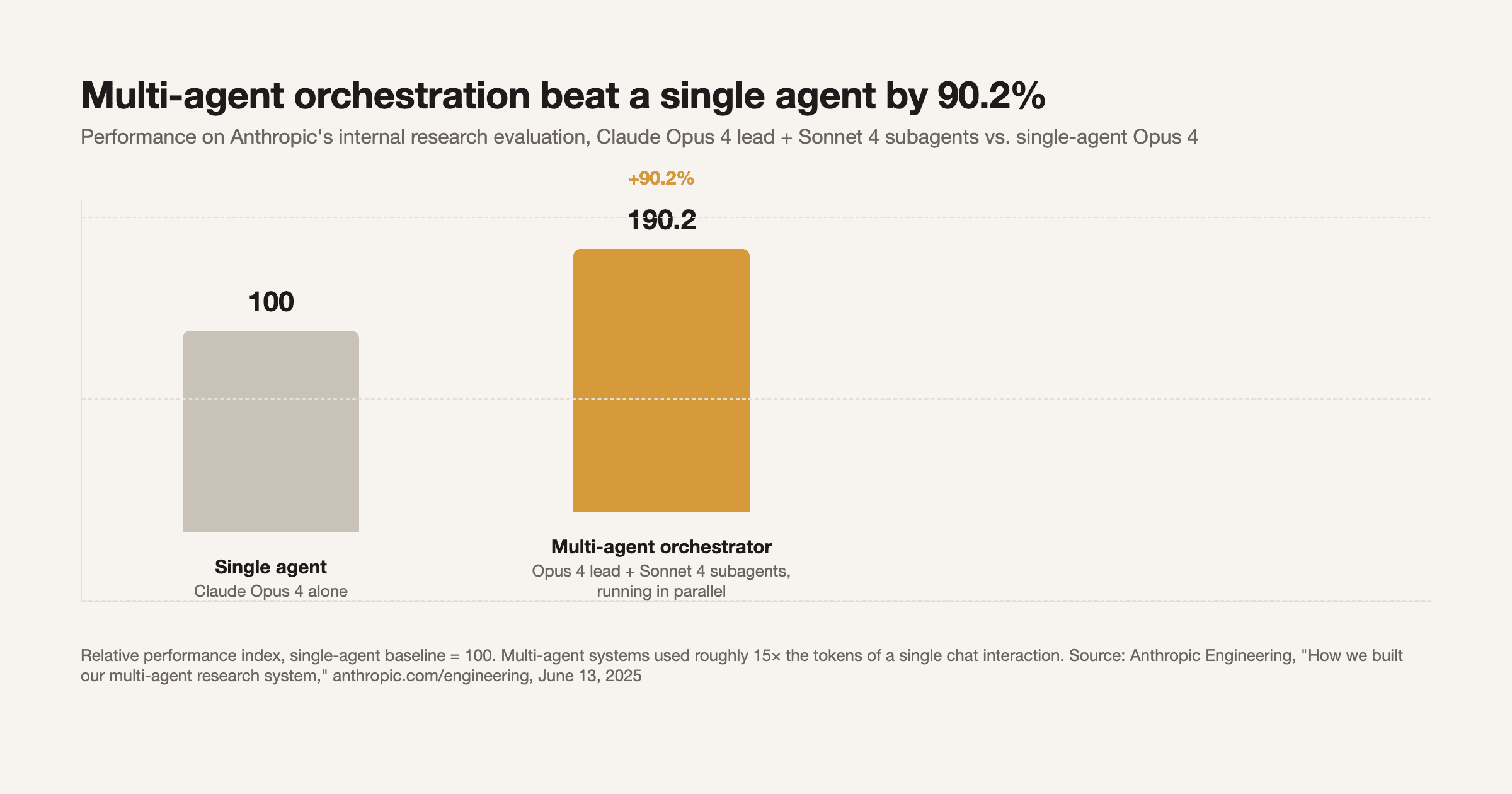
That token cost is exactly why the orchestrator-worker pattern in n8n is model-size-aware in practice: route the routing decision itself, and any simple worker task, to a cheaper model, and reserve your most capable (and expensive) model for the worker that actually does the hard synthesis. n8n's AI Agent node supports a different model per agent node on the same canvas, so this isn't a workaround, it's a first-class option.
A minimal orchestrator workflow, node by node
A working version doesn't need to be elaborate. In practice it's: a Chat Trigger or Webhook feeding a root AI Agent node configured purely as a router, its system prompt describing what each downstream tool handles and nothing else; two or three AI Agent Tool nodes underneath it, each with its own narrow system prompt and its own small set of real tools (an email-drafting agent should not also have calendar-write access); and, per worker, the same Stop And Error and dead-letter handling covered in our error handling guide, so a failure in one specialist doesn't silently corrupt the orchestrator's context. Each agent should also get its own evaluation, not just the end-to-end output, for the same reason LLM-as-a-judge scoring needs a human-reviewed baseline: a routing mistake three hops upstream looks identical to a bad final answer if you only ever check the output.
When n8n's canvas stops being the right tool
Everything above is available in n8n's free, self-hosted, fair-code edition with no execution caps and no paid gate on the AI Agent Tool or Call n8n Workflow Tool nodes, so there's no cost reason to prototype an orchestrator pattern anywhere else first. Where teams outgrow the visual canvas is usually state: once an orchestration graph needs conditional branching that depends on accumulated state across many steps, or needs to checkpoint and resume a long-running multi-agent run, a code-first graph framework like the open-source LangGraph becomes the better fit, precisely because it treats state transitions as the primitive instead of a canvas of connected nodes. We cover that tradeoff, along with CrewAI and AutoGen, in our full framework comparison if n8n's canvas is the piece that's actually limiting you, not the orchestration pattern itself.
Where this fits if you're building real automations
The orchestrator-worker pattern is the difference between an AI Agent node that degrades as you add capability and one that scales with it, and it costs nothing extra to start using in n8n's free tier. AI Automation Mastery builds this pattern hands-on, alongside the error handling and evaluation layers that make a multi-agent workflow survive contact with a real client's data instead of just a clean demo run.
Go deeper
AI Automation Mastery
Want the full AI Automation Mastery course, not just this post?
Join the waitlist and get a 20% launch discount the moment we open checkout. No payment now.
Taught by Aditya Jha · 40+ AI products shipped for real clients. No spam, unsubscribe any time.
Or join our free community for AI tips while you wait
One email a week: the AI tools, tactics, and course drops actually worth your time. No spam, unsubscribe anytime.
Questions about this or which course fits? Email academy@aibootstrapper.com and we'll answer it directly, not with a support ticket.