How AI Browser Agents Actually See the Screen: Vision-Based Computer Use vs. DOM-Based Automation
Every AI browser agent runs the same observe-decide-act loop, but whether it reads pixels or the accessibility tree changes its cost, speed and reliability. Here's the mechanism, the real token math, and the open-source alternatives.
Ask an AI agent to "open Gmail and reply to the newest email" and there are two completely different ways it can actually do that. One way, the agent looks at a screenshot of your screen, the same pixels you'd see, and decides where to click. The other way, the agent reads a structured list of every button, link and input field on the page and picks one by name, never rendering a single pixel. Most people building automations don't realize which one their tool is using, and that choice is the single biggest driver of how slow, expensive and reliable the agent turns out to be.
The two ways an agent can see a webpage
The vision-based approach is what Anthropic's computer use tool and OpenAI's Operator/CUA models do: the model receives an actual screenshot as an image, reasons about what it sees the way you would, and outputs a click coordinate like `[500, 300]`. It works on literally anything with a screen, a legacy desktop app, a canvas-based web app, a PDF viewer, because it never needs the underlying code to cooperate.
The DOM-based approach, used by open-source libraries like browser-use and Stagehand, skips the pixels entirely. It pulls the page's accessibility tree, the same structured tree screen readers use, and hands the model a text list like `button "Reply" id=42` and `input "To" id=17`. The model picks an element by its ID instead of guessing coordinates. It's faster and cheaper because there's no image to process, but it only works where a DOM or accessibility tree actually exists, which rules out most native desktop apps and canvas-rendered interfaces.
If you're new to the broader question of which orchestration layer sits above either of these, LangGraph vs CrewAI vs AutoGen covers how agents plan multi-step tasks; this post is about the layer underneath that: how the agent actually touches the page once it's decided what to do.
Inside the vision-based agent loop
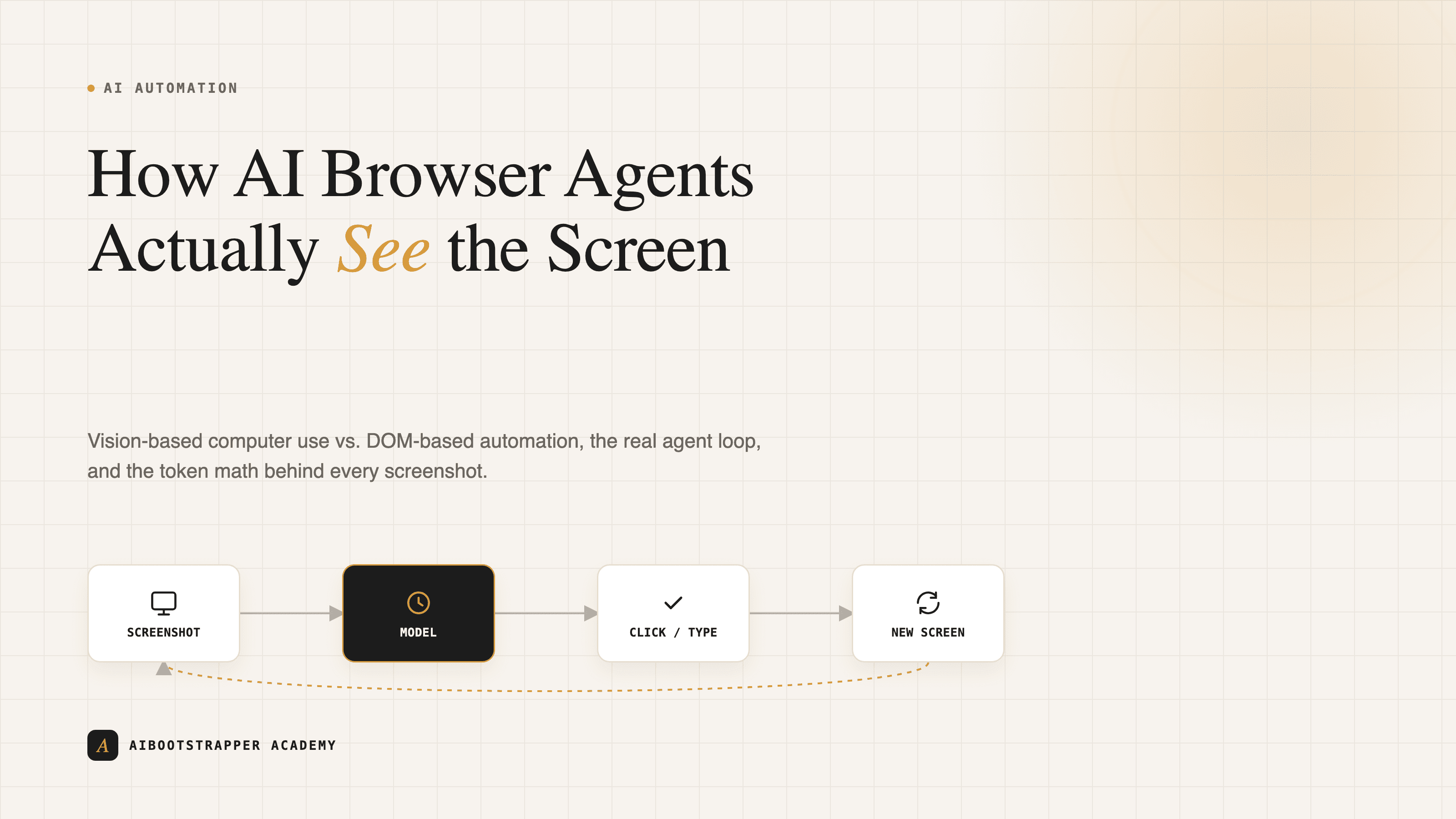
Anthropic's own documentation lays out the mechanism plainly, and it's simpler than it sounds. It's a four-step cycle, repeated:
- Your application sends Claude a screenshot plus the task.
- Claude returns a tool call: `screenshot`, `left_click`, `type`, `scroll`, or similar, with pixel coordinates.
- Your application executes that action in a sandboxed virtual display (the reference implementation uses Xvfb and a Docker container) and captures a new screenshot.
- The new screenshot goes back to Claude, and the cycle repeats until the model decides the task is done or an iteration cap is hit.
That last point matters: Anthropic explicitly caps iterations "to prevent potential infinite loops that could result in unexpected API costs." A model that keeps clicking the wrong spot doesn't just fail, it burns tokens on every retry, which is the crux of why the cost math below is worth actually doing before you build on this.
The real cost math: what a screenshot actually costs
Claude doesn't charge per image, it charges per token, and images convert to tokens through a fixed formula documented in Claude's vision docs: roughly `(width_px × height_px) / 750`. A typical computer-use display of 1024×768 pixels works out to about 1,049 tokens, every single screenshot.
That number looks small until you count the loop. A modest ten-step task, ten screenshots, means roughly 10,500 tokens spent just looking at the screen, before you count the reasoning tokens Claude spends deciding what to click, or the retries when a click lands two pixels off a small button. Compare that to a DOM-based tool reading the same page as structured text: a typical interactive-elements list runs a few hundred tokens, not a thousand-plus per turn, because there's no image to encode at all. This is the same token-economics lens covered in prompt caching for Claude, OpenAI and Gemini, just applied to vision instead of repeated text context.
None of this makes vision-based computer use a bad choice, it makes it a *deliberate* one: pay the per-screenshot tax when you genuinely need to operate a desktop app or a canvas UI with no accessibility tree, and skip it everywhere the DOM approach can reach.
The DOM-based alternative: browser-use, Stagehand and Skyvern
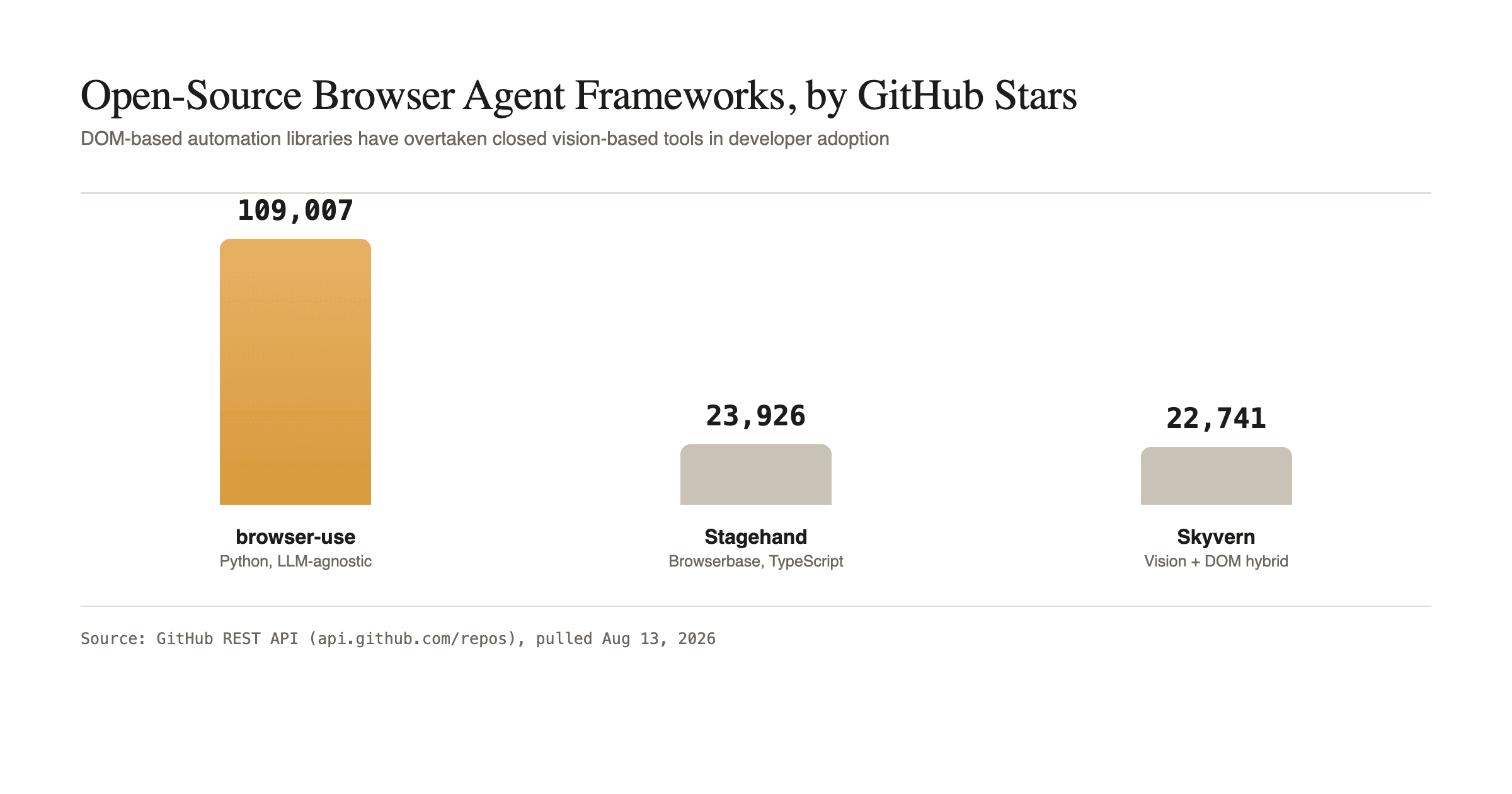
The GitHub numbers above are current as of this week, pulled directly from the GitHub API, and they tell you where developer effort is actually going:
- **browser-use** (109,007 stars) is a Python library that turns any LLM, Anthropic, OpenAI, Gemini or a local open-weight model, into a full browser agent. It reads the accessibility tree, builds a numbered list of clickable elements, and lets the model act on element IDs rather than coordinates. Free, MIT-licensed, and works with self-hosted models through an OpenAI-compatible endpoint.
- **Stagehand** (23,926 stars) is Browserbase's SDK for teams that already have Playwright test scripts and want to layer AI decision-making on top of them, rather than rewriting automation from scratch.
- **Skyvern** (22,741 stars) sits in between: it uses computer vision to understand a page the way a human would, but layers that on top of DOM extraction rather than relying on raw pixel coordinates alone, aiming for the reliability of DOM-based clicking with the flexibility of vision on pages with inconsistent markup.
All three are free, self-hostable, and a legitimate substitute for a paid computer-use API when your target is a normal web page rather than a full desktop.
Open source vs. closed: what to actually pick
The honest framework is about what you're automating, not which tool has more stars:
- **Automating a standard web app or SaaS dashboard?** Start with browser-use or Stagehand. You get an accessibility-tree-driven agent, lower token cost per step, and full control over which model runs it, including a local Ollama model if you want zero API cost. If you're evaluating self-hosted model options for this, self-hosting a free ChatGPT alternative with Ollama and Open WebUI walks through the setup.
- **Automating a legacy desktop app, a Citrix session, or anything with no accessible DOM?** Vision-based computer use is the only option that actually works, and the token cost is the price of that generality.
- **Wiring either into a broader no-code workflow?** Both browser-use and the Anthropic computer use tool can sit inside an n8n or Make step; n8n vs Zapier vs Make for AI agent workflows covers how the trigger and pricing model around that choice actually works.
The mechanism, not just the tool name
The pattern worth remembering past any specific tool: every browser or computer-use agent is running the same loop, observe, decide, act, observe again, whether "observe" means a screenshot or an accessibility tree. Picking DOM-based tooling isn't just cheaper, it removes an entire class of failure, coordinates that are one pixel off a tiny button, that vision-based agents have to solve with retries and zoom actions instead. Reach for vision only when the DOM genuinely isn't there. That single decision, made early, is usually what separates an automation that runs reliably in production from one that racks up API costs re-clicking the same button. If you're building this kind of agent as part of a broader automation practice, AI Automation Mastery covers the agent-building patterns behind it in more depth.
Go deeper
AI Automation Mastery
Want the full AI Automation Mastery course, not just this post?
Join the waitlist and get a 20% launch discount the moment we open checkout. No payment now.
Taught by Aditya Jha · 40+ AI products shipped for real clients. No spam, unsubscribe any time.
Or join our free community for AI tips while you wait
One email a week: the AI tools, tactics, and course drops actually worth your time. No spam, unsubscribe anytime.
Questions about this or which course fits? Email academy@aibootstrapper.com and we'll answer it directly, not with a support ticket.