n8n Queue Mode Explained: How to Scale AI Agent Workflows Without Losing Executions
Regular-mode n8n runs triggers and workflows in the same process, which is exactly what breaks first once AI Agent nodes are involved. Here is what queue mode actually changes, why Postgres and Redis are non-negotiable, and two genuinely open-source alternatives if the fair-code license is the real blocker.
The Point Where a Single n8n Instance Stops Being Enough
Most n8n setups start the same way: one Docker container, one workflow, a webhook trigger, an AI Agent node calling an LLM, done. It works fine right up until it doesn't. The failure mode isn't dramatic, it's quiet: webhook calls start timing out, executions pile up, and a workflow that used to respond in two seconds now takes twenty because it's sitting behind three other AI agent runs that haven't finished yet. That's not a bug. It's what happens when you run a distributed workload on an architecture built for one process.
By default, n8n runs in what its own documentation calls "regular mode": a single process that both receives triggers and executes every workflow itself. According to n8n's official queue mode documentation, that single process is fine until the volume or duration of your workflows means executions start competing for the same thread. AI Agent workflows are exactly the kind of thing that breaks this first, because a single LLM call with tool use can run for seconds to minutes, not milliseconds, and a webhook-triggered workflow that's still "thinking" is a process that isn't free to pick up the next request.
What Queue Mode Actually Changes
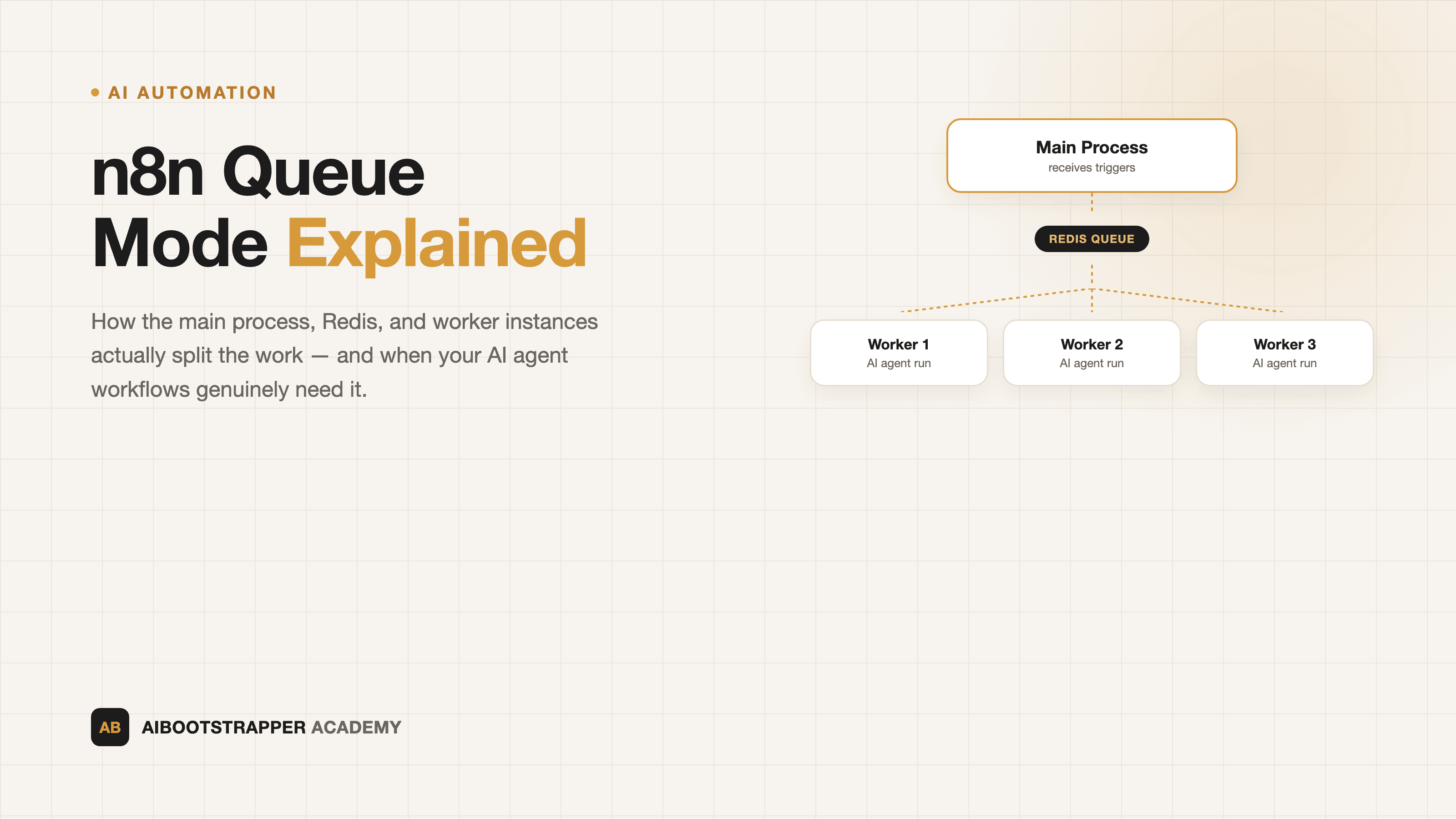
Queue mode doesn't make n8n faster, it makes n8n distributable. Per the docs, the architecture splits into three pieces: a **main process** that "handles timers and webhook calls, generating (but not running) a workflow execution," a **message broker (Redis)** that "maintains the queue of pending executions and allows the next available worker to pick them up," and one or more **worker processes** that pull execution IDs off that queue, actually run the workflow, and write the result back to the database. When a worker finishes, Redis notifies the main instance so it can respond to whatever triggered the run in the first place.
The distinction that matters: the process that *receives* the trigger is no longer the process that *runs* the workflow. That decoupling is what lets you add capacity without touching your trigger logic at all, you just add another worker.
| Regular mode | Queue mode | |
|---|---|---|
| Trigger handling | Same process runs the workflow | Main process only generates the execution |
| Execution | Blocks the process until done | Picked up by any available worker |
| Scaling | Vertical only (bigger box) | Horizontal (add workers) |
| Database | SQLite or PostgreSQL | PostgreSQL required |
| Failure isolation | One slow workflow can starve others | Slow workflow only occupies one worker |
Why PostgreSQL Isn't Optional Here
This is the part that catches teams off guard: queue mode requires PostgreSQL. n8n's docs are explicit that "running n8n with execution mode set to `queue` with an SQLite database isn't recommended" because "running a distributed system with this setup over SQLite isn't supported." SQLite is a single-file database designed for one writer at a time, the opposite of what a fleet of workers writing execution results concurrently actually needs. If you're still on the default SQLite setup from a quick-start Docker Compose file, migrating to Postgres is the real first step, before you touch Redis or spin up a second worker.
If you're new to self-hosting n8n at all and haven't compared it against the alternatives yet, n8n vs Zapier vs Make for AI agent workflows covers why the pricing model, not just the feature set, is usually what decides which platform you land on. Queue mode is one of the reasons self-hosting stays worth it even at volume: Zapier and Make charge per task or per operation as you scale; a self-hosted n8n worker fleet scales on your own infrastructure cost instead.
Concurrency: The Setting That Actually Determines Throughput
Adding workers is the obvious lever, but the setting people get wrong first is concurrency per worker. Each worker process defaults to running 10 executions at once, controlled with a flag like `n8n worker --concurrency=10`. The official docs specifically recommend "setting concurrency to 5 or higher for your worker instances," and warn that the real ceiling isn't CPU, it's your database: too many workers each holding too many concurrent connections will "exhaust your database's connection pool" before you ever run out of compute.
For AI Agent workflows specifically, this matters more than it does for a simple data-sync workflow, because each concurrent execution is holding open a connection for however long the LLM call plus any tool calls take, which for an agent doing multi-step reasoning with MCP tool calls can be tens of seconds, not milliseconds. Tune concurrency per worker for how long your specific workflows actually run, not the default.
Webhook Processors: The Layer Most Guides Skip
There's a second scaling knob past workers: dedicated webhook processors. These are optional n8n instances that do nothing but receive incoming webhook traffic on n8n's default port (5678) and hand it off to the queue, so your main instance isn't also the thing absorbing every inbound HTTP request under load. The docs note this requires a load balancer in front, routing `/webhook/*` and `/webhook-waiting/*` paths to the webhook processors specifically, separate from whatever's serving the n8n editor UI itself. If your AI agent is triggered by external systems, an incoming support ticket, a form submission, a CRM event, rather than a schedule, this is the piece that keeps trigger reception responsive even while ten workers are busy running long agent loops underneath it.
When You Genuinely Don't Need Any of This Yet
None of this is a reason to over-engineer a workflow that runs twenty times a day. If your AI agent workflows are infrequent, scheduled, or internal-only, regular mode with a single instance and Postgres is still the right call, queue mode adds Redis as another service to operate and monitor for no benefit if nothing is actually queuing. The signal to actually move is concrete and observable, not a number to pre-optimize around: check your n8n executions list for a growing backlog of "waiting" or delayed runs, or webhook calls timing out on the trigger side while a workflow is still mid-execution. That's the point where a single process is provably the bottleneck, and it's also the point covered in how to actually automate a business process with AI agents about designing workflows that fail predictably instead of silently.
If n8n's Fair-Code Model Isn't What You Want
It's worth being precise about what n8n actually is, because "self-hosted" and "open source" get conflated constantly. n8n is fair-code licensed under the Sustainable Use License, per its own GitHub repository, free to self-host and modify but not a permissively open-source project in the OSI sense; certain enterprise features sit behind a separate commercial license.
If you specifically want a fully open-source alternative, two real options are worth knowing. Activepieces is MIT-licensed end to end for its community edition, no-code trigger-action automation with native AI actions and MCP server support, positioned directly as an open Zapier replacement, with setup and self-hosting docs at activepieces.com. Windmill is dual-licensed under AGPLv3 and Apache 2.0, and takes a code-first approach instead, letting you write workflow steps in Python, TypeScript, Go, or SQL rather than assembling them visually, with self-hosting instructions at windmill.dev. Neither replicates n8n's specific queue-mode architecture node for node, but both are legitimate answers if the fair-code license, not the scaling model, is what's actually giving you pause.
Where to Start
Don't reach for queue mode because a guide told you to, reach for it because you can point at a specific symptom: webhooks timing out, executions queuing visibly, or one long AI agent run blocking shorter workflows behind it. When you get there, the order is Postgres first (queue mode won't run on SQLite), Redis second, one worker with concurrency tuned to how long your actual LLM calls take, and webhook processors only once trigger volume itself becomes the bottleneck, not before. Building AI agent workflows that hold up under real production load, not just a demo run, past 10 executions at once is exactly the kind of infrastructure decision we cover hands-on inside AI Automation Mastery.
Go deeper
AI Automation Mastery
Want the full AI Automation Mastery course, not just this post?
Join the waitlist and get a 20% launch discount the moment we open checkout. No payment now.
Taught by Aditya Jha · 40+ AI products shipped for real clients. No spam, unsubscribe any time.
Or join our free community for AI tips while you wait
One email a week: the AI tools, tactics, and course drops actually worth your time. No spam, unsubscribe anytime.
Questions about this or which course fits? Email academy@aibootstrapper.com and we'll answer it directly, not with a support ticket.