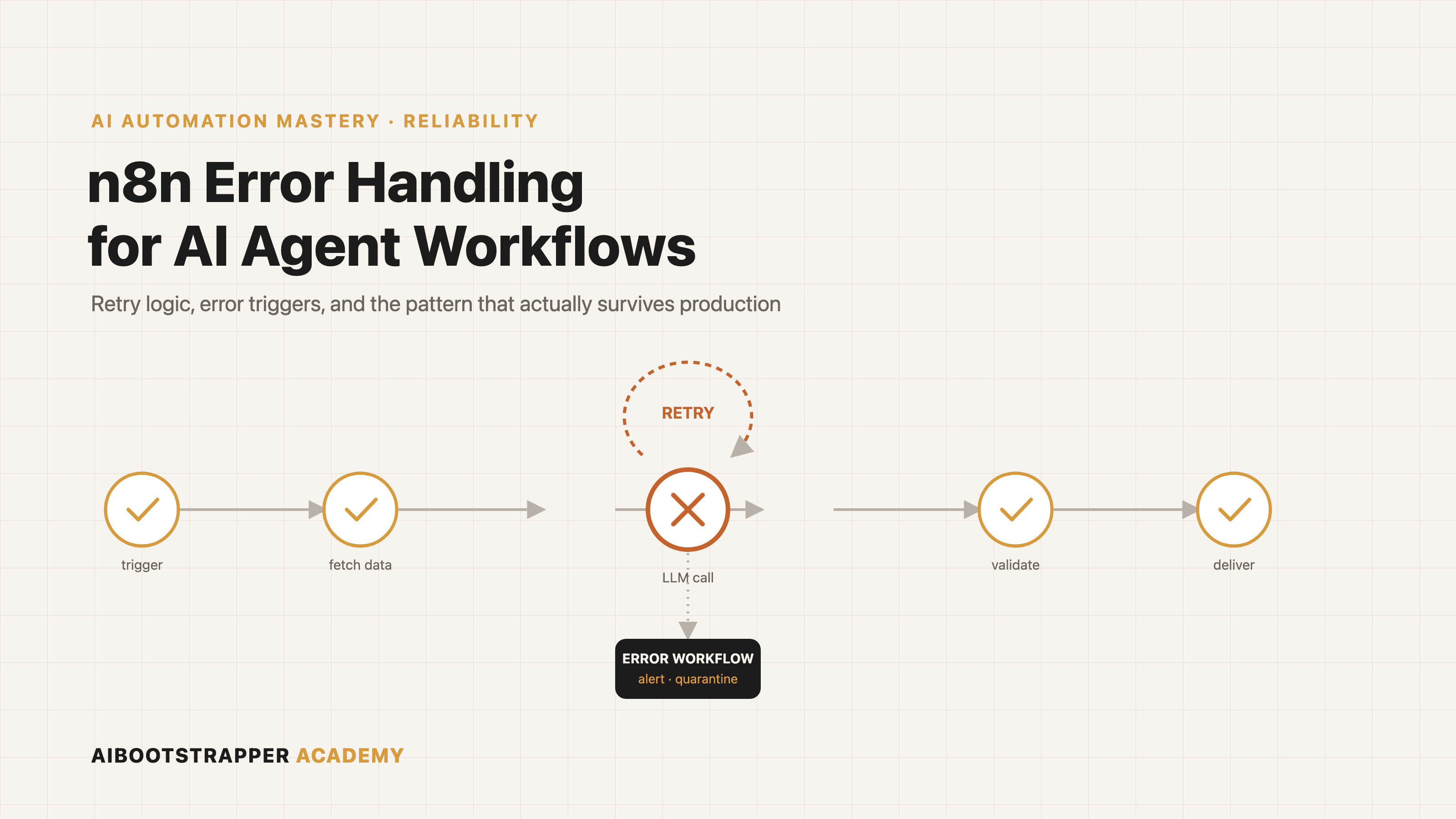
n8n Error Handling for AI Agent Workflows: Retry Logic, Error Triggers, and the Pattern That Actually Survives Production
Most n8n AI agent workflows only get Retry On Fail turned on, then fail silently the first time something a retry cannot fix goes wrong. Here is the three-layer error handling architecture, and the retry-quarantine-escalate pattern, that actually holds up.
If you've built an AI agent workflow in n8n and turned on Retry On Fail for a couple of HTTP Request nodes, you've handled the easy 10% of error handling. The other 90% is what happens when a retry can't fix the problem: the API key expired, the model returned malformed JSON instead of the schema you asked for, or an upstream service is down for an hour, not a few seconds. Most workflows that fail in production don't fail loudly. They fail quietly, once, in a way nobody notices until a client asks why a lead never got a follow-up email.
The math that makes error handling non-optional
Before the n8n specifics, it's worth seeing why this matters more for agent workflows than for a simple two-step Zap. If a workflow has 10 sequential steps and each one succeeds 85% of the time, a number most teams would call a strong result for an LLM-driven step, the odds of the entire workflow completing without a single failure are 0.85 raised to the 10th power: about 20%. That's not a bug in any one step. It's basic reliability math known as Lusser's Law, first used to explain why complex rocket systems failed more often than any single component's failure rate implied, and it applies just as cleanly to an agent chaining a search step, a reasoning step, and a tool call as it did to 1950s hardware.
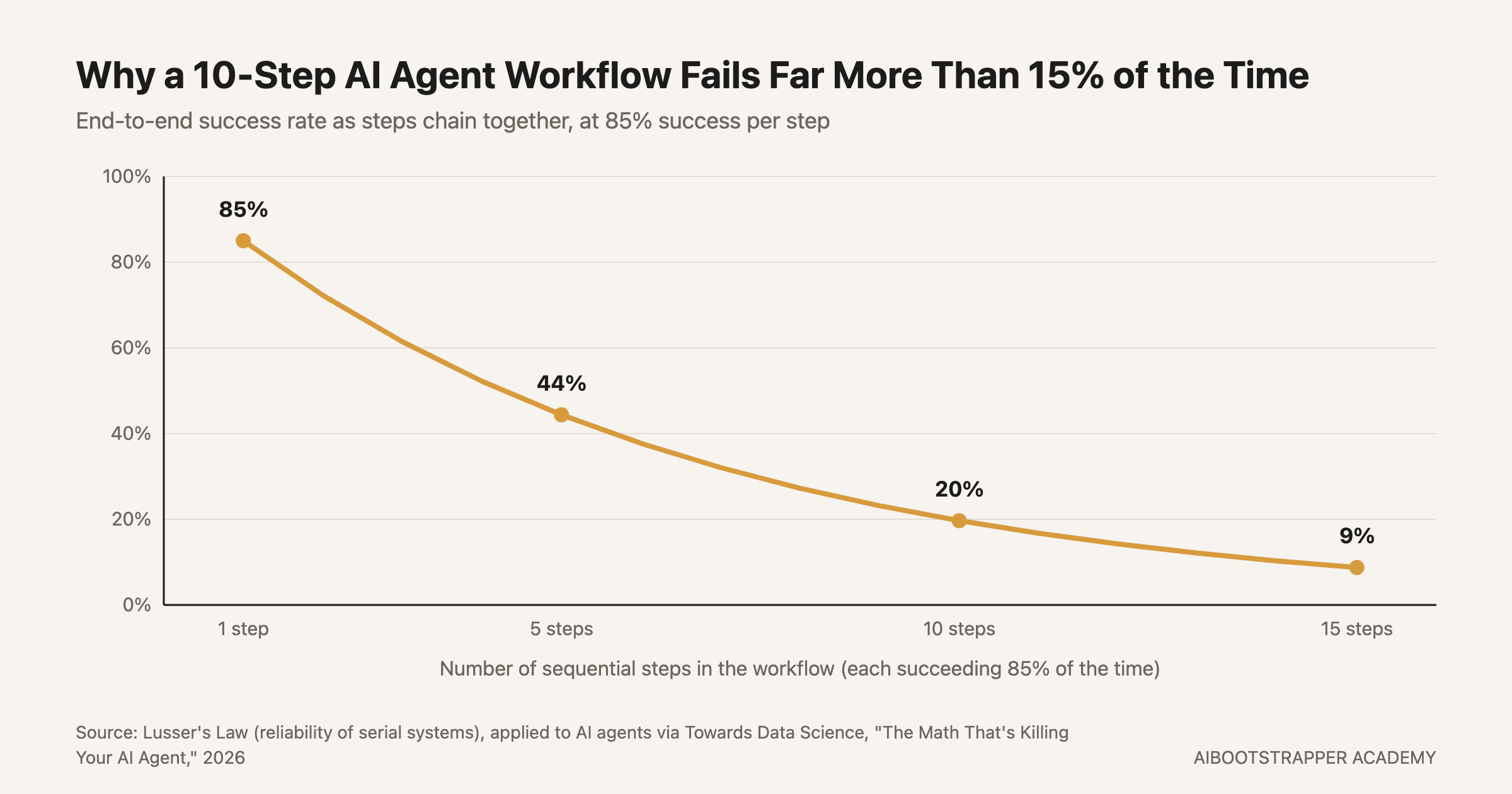
The takeaway isn't "make every step more reliable," since squeezing an LLM step from 85% to 95% is hard and expensive. It's that a workflow's error handling needs to assume steps will fail regularly and recover gracefully, not treat failure as the rare exception a single retry can paper over.
What n8n actually gives you, and it's three separate layers
n8n's error handling isn't one setting, it's three layers that solve different problems, and conflating them is where most setups go wrong.
- **Per-node Retry On Fail.** Open any node's Settings tab and you can turn on retries with a max attempt count and a wait time between attempts. This is for transient failures only: a rate limit, a momentary timeout, a 503 that resolves itself in a few seconds.
- **The Error Trigger and a dedicated error workflow.** n8n's Error Trigger node only fires on an automatic workflow's failure, not a manual test run, and it receives the failed workflow's error message, stack trace, and which node broke. You point your main workflow at a separate error workflow in its settings, and that workflow can Slack you, log to a sheet, or open a ticket, whatever your actual on-call process needs.
- **The Stop And Error node.** This one is different from the other two: it deliberately fails a workflow that's technically running fine but has gotten bad data. It supports two modes, a plain-text Error Message for a quick log line, or a structured Error Object when you want the error workflow to route on specific fields, like which client's data caused it.
The gotcha that breaks silent
Here's the interaction that catches almost everyone once: Retry On Fail and the "Continue" error-handling option are mutually exclusive on the same node, and n8n doesn't stop you from setting both. If you set On Error to "Continue" and also configure retries, the retry settings are silently ignored and the node moves on after the first failure. That's the opposite of what most people intend when they enable both, assuming "try a few times, then move on anyway" is a single setting. It isn't. Pick one behavior per node: retry until it works, or continue on the first failure and handle it downstream.
Fail on purpose before you fail by accident
The Stop And Error node matters because not every failure is a broken API call. If your agent's output-validation step gets back JSON missing a required field, the workflow can technically keep running, it just produces garbage. A node like that should call Stop And Error with a clear message rather than silently passing bad data forward, the same principle behind why context rot makes agents quietly worse instead of loudly wrong: the failures that cost the most are the ones nothing catches.
The pattern production teams actually run: retry, quarantine, escalate
Combining the three layers into a single policy looks like this in practice:
- **Retry** transient failures at the node level, capped low (two or three attempts), since a fourth retry on a genuinely broken call just delays the alert.
- **Quarantine** anything that fails validation rather than discarding it: write the failed item to a dead-letter table or sheet so nothing silently disappears.
- **Escalate** through the Error Trigger workflow to wherever your team actually watches, Slack or email, with enough context (which execution, which node, what data) to act without opening n8n first.
- **Roll back or reconcile** for anything that partially wrote to an external system before failing, a half-sent email sequence or a half-updated CRM record, which is the case most teams forget to design for until it bites them.
This is the same reasoning we cover from the evaluation side in evaluating AI agents in production: reliability isn't a property you test once before launch, it's a system you keep watching, and error handling is the mechanism that makes the watching possible instead of finding out from a customer.
When n8n's error handling isn't enough
n8n's approach is genuinely good for workflows in the tens-of-steps range, and it's worth remembering the whole platform is free to self-host with no execution caps, so there's no cost reason to under-build this. But at real scale, hundreds of steps, long-running processes that need to survive a server restart mid-execution, teams increasingly reach for Temporal, an open-source durable-execution engine built specifically around the same reliability math above. Temporal's own engineering team frames it directly: AI reliability is the decades-old distributed-systems reliability problem wearing a new coat, and Temporal's answer is to checkpoint every step so a workflow resumes exactly where it left off instead of restarting from zero. It's a heavier tool with a real learning curve, worth knowing about once your n8n workflows start chaining dozens of agent calls, not before.
Where this fits if you're building real automations
Retry On Fail is the setting everyone finds first and the one that solves the least of the actual problem. The workflows that hold up in production are the ones designed assuming steps will fail on a normal Tuesday, with a quarantine path for bad data and an escalation path a human actually sees. That's the difference AI Automation Mastery is built to teach past the demo stage: not just wiring nodes together, the layered error handling, alerting, and recovery design that's the actual gap between a workflow that works in a walkthrough and one that survives a real client's data for six months.
Go deeper
AI Automation Mastery
Want the full AI Automation Mastery course, not just this post?
Join the waitlist and get a 20% launch discount the moment we open checkout. No payment now.
Taught by Aditya Jha · 40+ AI products shipped for real clients. No spam, unsubscribe any time.
Or join our free community for AI tips while you wait
One email a week: the AI tools, tactics, and course drops actually worth your time. No spam, unsubscribe anytime.
Questions about this or which course fits? Email academy@aibootstrapper.com and we'll answer it directly, not with a support ticket.