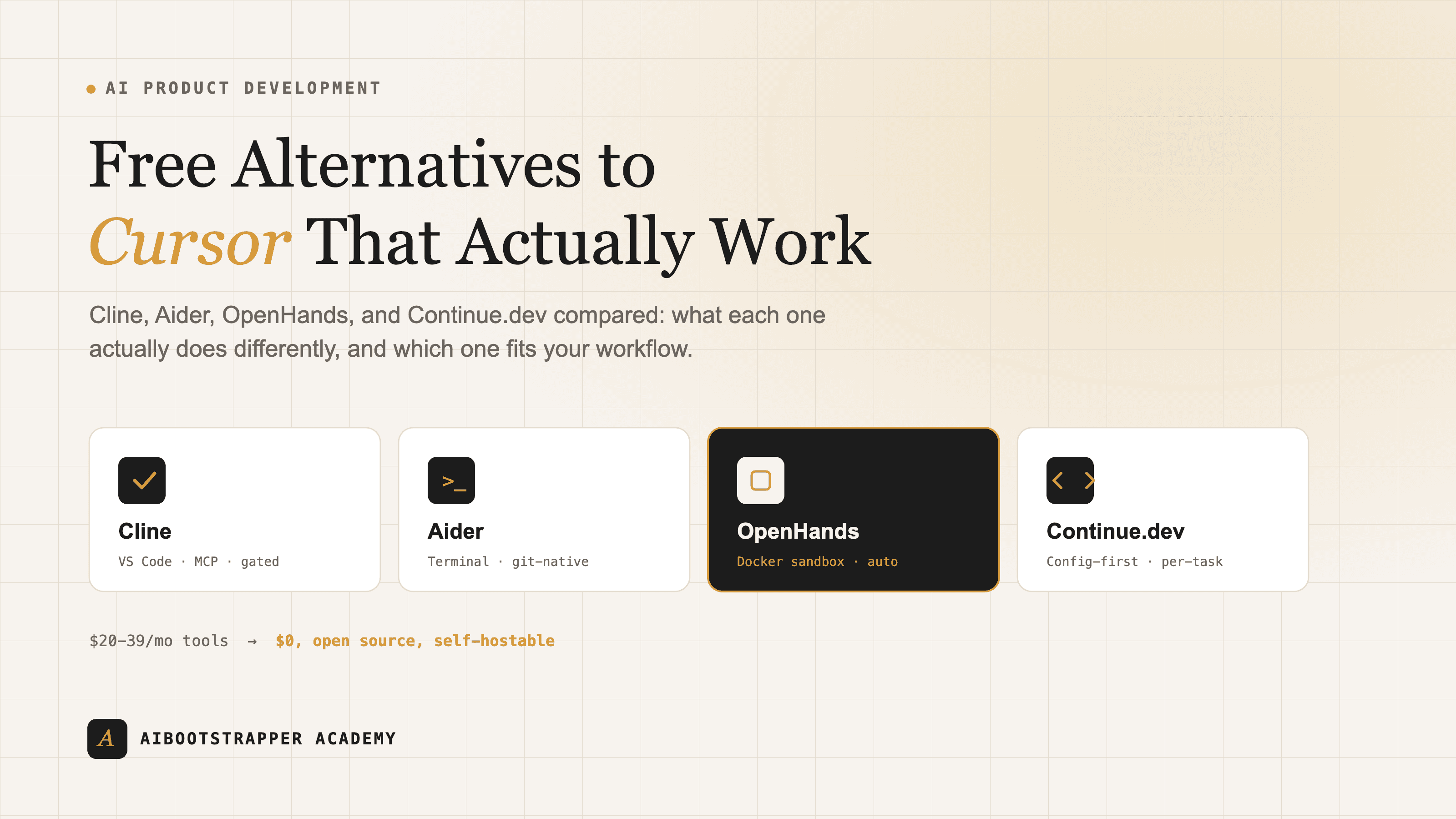
Free Alternatives to Cursor: How Cline, Aider, OpenHands, and Continue.dev Actually Differ
Cursor and GitHub Copilot cost $20-39/month per seat, but four mature open-source coding agents do the same job for free. Here is what each one actually does differently.
Cursor costs $20 a month per seat for the Pro plan, and GitHub Copilot's Pro+ tier runs $39, both billed on top of whatever your team already pays for hosting, deployment, and the LLM API calls underneath. For a solo builder or a two-person team validating an idea before it has revenue, that's real money for a tool category that also has four mature, actively maintained, fully open-source options: Cline, Aider, OpenHands, and Continue.dev. None of them are clones of each other, and picking the wrong one for your workflow will frustrate you into paying for Cursor anyway. Here's what each one actually does differently, and which one fits which kind of building.
What "Free" Actually Means Here
Free means the tool itself costs $0 and the code is open for anyone to read, fork, or self-host, not that using it costs nothing end to end. All four tools are bring-your-own-key by default: you connect them to Claude, GPT, Gemini, or a local model through your own API credentials, and you pay whatever that provider charges per token, the same Claude or OpenAI rates you'd pay from any other client. The upside is real: no $20-39/month platform markup, no seat-based billing, and if you point any of them at a self-hosted model through Ollama, your marginal cost per coding session drops to the electricity bill on your GPU, the same setup covered in self-hosting a free ChatGPT alternative with Ollama and Open WebUI.
Cline: An Agent Inside Your Editor, With a Leash
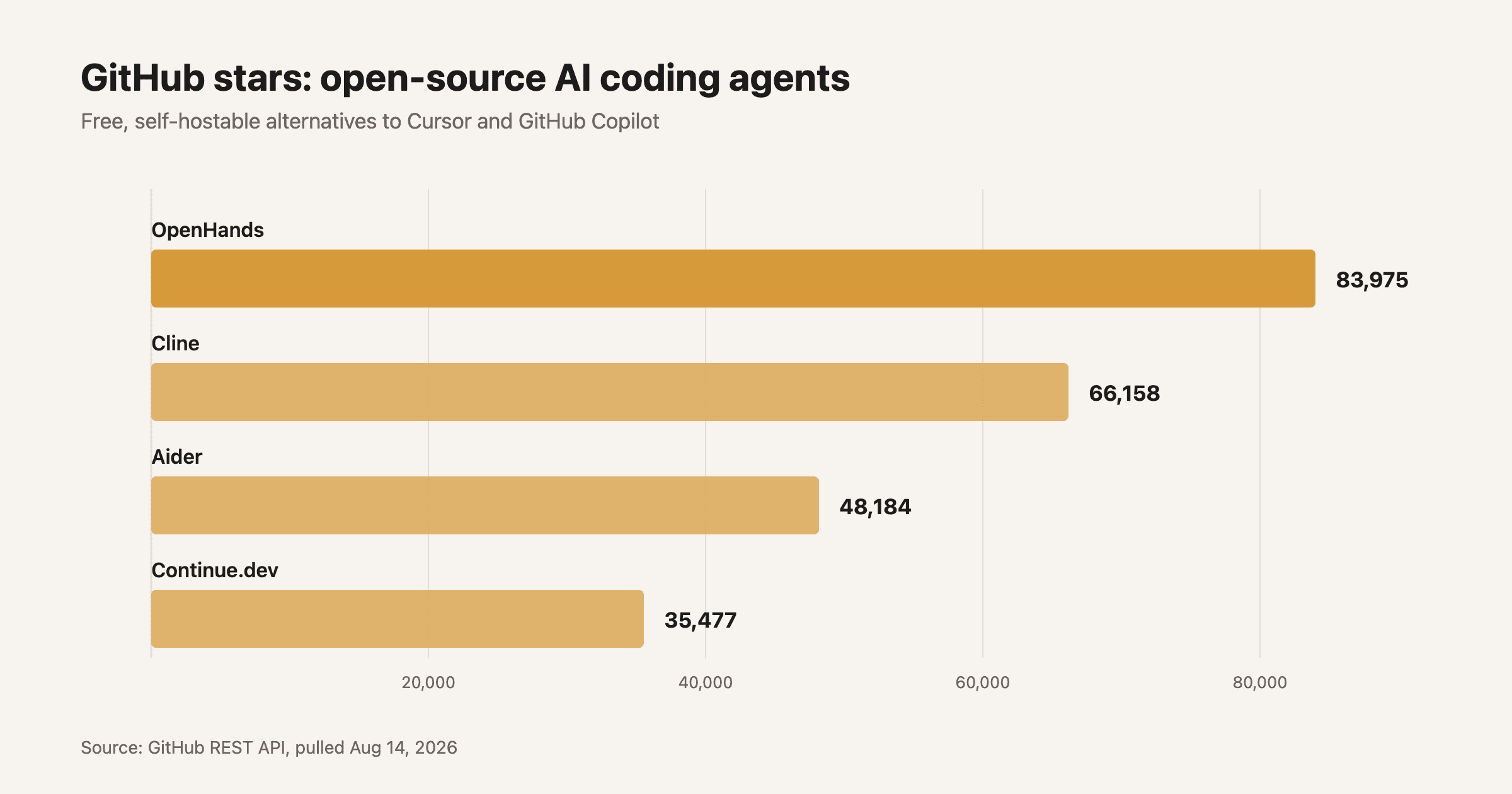
Cline (66,000+ GitHub stars, Apache 2.0) is a VS Code extension, JetBrains plugin, and CLI that reads and writes files, runs terminal commands, and drives a browser to test what it just built, all inside your existing editor rather than a separate app. The design choice that sets it apart is the approval gate: according to Cline's own docs, "every action requires your explicit approval. You're always in control," so instead of an agent silently rewriting a dozen files, you see and confirm each file edit and each shell command before it runs. It supports Model Context Protocol servers out of the box, so you can wire it into the same external tools, a database, a ticketing system, a search API, that you'd connect to any other MCP-aware agent. Pricing is bring-your-own-key by default, with an optional $9.99/month ClinePass for discounted usage on hosted open models if you don't want to manage your own API keys.
Aider: Terminal-Native, Git-Aware Pair Programming
Aider (48,000+ stars, Apache 2.0) skips the IDE entirely and runs as a chat loop in your terminal. You describe a change, Aider edits the files, and it automatically commits each change to git with a generated message, so every edit is a reviewable, revertable commit rather than an in-place diff you have to trust blindly. The feature that makes it usable on large codebases is the repo map: per Aider's documentation, it builds "a concise map of your whole git repository" using a graph-ranking algorithm over a dependency graph of your files, surfacing the classes and functions most referenced elsewhere in the codebase, then sends that condensed map instead of your entire repo as context. That keeps token usage (and cost) down even on a codebase with hundreds of files, which matters directly if you're already tracking prompt caching and API cost math elsewhere in your stack. Aider is genuinely model-agnostic and works fine with a local model through Ollama if you want zero marginal cost per session.
OpenHands: The Sandboxed Autonomous Agent
OpenHands (84,000+ stars, MIT license, formerly OpenDevin) is the most autonomous of the four and the most-starred. Rather than editing your live filesystem directly, it spins up an isolated Docker container per session and executes every action, bash commands, file edits, Python scripts, inside that sandbox. The OpenHands research paper and its architecture docs describe an event-stream design: every action the agent takes and every observation it gets back is appended to a single chronological log, and the agent's next decision is a function of that whole log rather than hidden internal state. That makes every run replayable and auditable after the fact, which is the tradeoff for the extra setup: you need Docker running locally or a remote sandbox, and it's the heaviest of the four to get started with. It's the closest open-source equivalent to a fully autonomous coding agent, best suited to well-scoped tasks you're comfortable handing off rather than line-by-line pairing.
Continue.dev: Config-First Control Over Every Layer
Continue.dev (35,000+ stars, Apache 2.0) is built for people who want to specify exactly which model handles which job. A single YAML config file lets you assign one model to inline autocomplete, a different one to chat, and a third to agent-mode multi-file edits, all independently, plus a CLI for wiring it into CI pipelines. It ships as a VS Code and JetBrains extension, so like Cline it lives in an editor you probably already use, but its selling point is granularity rather than autonomy: you decide exactly what context gets gathered and what rules the model follows at each step, instead of trusting one model to make every call.
The Real Cost Comparison
| Cursor | GitHub Copilot | Cline / Aider / OpenHands / Continue | |
|---|---|---|---|
| Tool cost | $20/mo (Pro), up to $200/mo (Ultra) | $10-100/mo (Pro to Max), per GitHub's pricing docs | $0, open source |
| Model cost | Bundled into subscription, usage-capped | AI credits included, then metered per token | Pay your own API provider directly, or run local for near-$0 |
| Self-hostable | No | No | Yes, all four |
| Model choice | Cursor-selected frontier models | GitHub-selected model list | Any provider, including local Ollama models |
| Best for | Teams that want zero setup and don't mind the seat price | Teams already paying for GitHub Enterprise | Solo builders and teams optimizing cost or wanting full control |
Which One Actually Fits Your Workflow
If you want an agent inside your existing editor with a visible approval step before anything runs, start with Cline. If you live in the terminal and want every AI edit to land as a clean git commit you can review or revert, Aider fits better than either GUI tool. If the task is well-scoped enough to hand off entirely, a well-defined bug fix, a documented feature, and you're comfortable with a sandboxed agent running semi-autonomously, OpenHands is built for exactly that. And if you already have strong opinions about which model should do autocomplete versus which one should do agentic edits, Continue.dev's config-first approach won't fight you on it. None of these require you to commit blind: all four are free to install and test against your actual codebase in an afternoon, which is more due diligence than a $20-39/month subscription usually gets before someone signs up for it. We cover this kind of build-vs-buy tooling decision, along with hands-on agent development, inside AI Product Development Bootcamp.
Go deeper
AI Product Development Bootcamp
Want the full AI Product Development Bootcamp course, not just this post?
Join the waitlist and get a 20% launch discount the moment we open checkout. No payment now.
Taught by Aditya Jha · 40+ AI products shipped for real clients. No spam, unsubscribe any time.
Or join our free community for AI tips while you wait
One email a week: the AI tools, tactics, and course drops actually worth your time. No spam, unsubscribe anytime.
Questions about this or which course fits? Email academy@aibootstrapper.com and we'll answer it directly, not with a support ticket.