n8n AI Agent Memory: Why Simple Memory Breaks the Moment You Add a Second Worker
n8n's default Simple Memory node works perfectly in testing and silently stops working the moment your AI agent workflow runs in queue mode. Here's what n8n's own docs say to use instead, and how Session Key and Context Window Length actually work.
An AI Agent node with memory attached works perfectly in the n8n editor. You send a message, it remembers your name three turns later, you ship it. Then it goes into production behind a load balancer, or you finally move to queue mode because a single instance stopped being enough, and the same agent starts forgetting everything between messages - not with an error, just silently, as if every message were the first one. The cause isn't a bug in your workflow. It's the default memory node doing exactly what its own documentation says it will do.
What a memory node is actually attaching to the agent
An AI Agent node's reasoning is stateless by default - each execution only sees the input for that run. A memory sub-node changes this by injecting prior conversation turns into the prompt before the agent reasons, then writing the new exchange back afterward. Two settings control this on every memory node: Session Key, the identifier n8n uses to know which stored conversation belongs to which user or thread, and Context Window Length, the number of previous interactions it pulls back in, per n8n's memory documentation. Get the session key wrong - hardcode it, or key it off something that repeats across users - and two different people's conversations quietly merge into one memory.
The node everyone starts with, and the warning most people skip
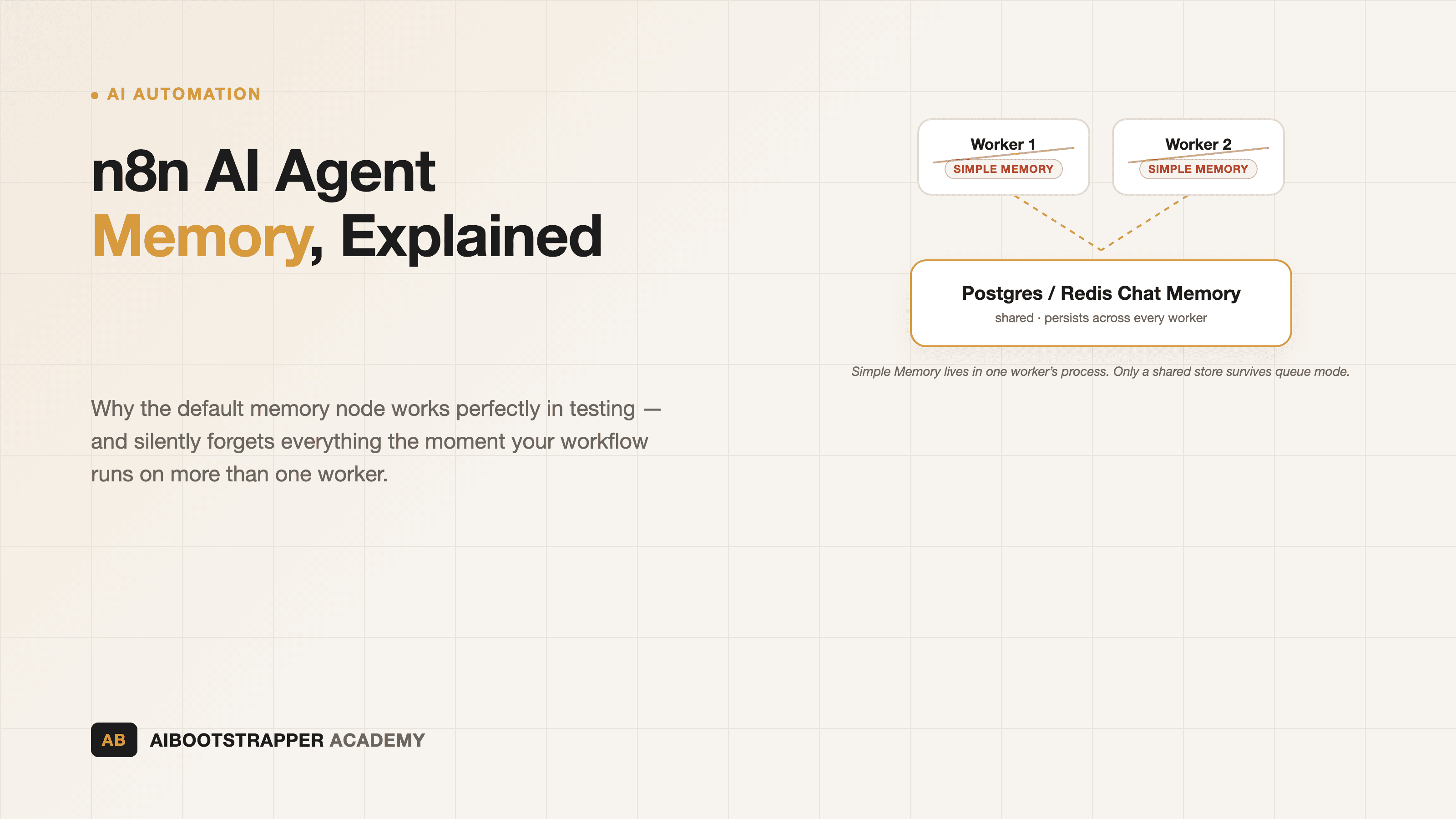
The default choice is Simple Memory (the Window Buffer Memory node), and for a single n8n instance it works exactly as advertised: it "stores a customizable length of chat history for the current session," per n8n's own node docs. What's easy to miss is the line directly under it: "Don't use this node if running n8n in queue mode." The reason is architectural, not a bug - in queue mode, any of several worker processes can pick up the next message in a conversation, and Simple Memory's history lives in the memory of whichever single process handled the previous message. The docs are direct about it: n8n "can't guarantee that every call to Simple Memory will go to the same worker," so the second worker that picks up your user's next message has no idea the first worker's conversation ever happened. It doesn't throw an error. It just answers as if nothing came before.
This is exactly the trap teams fall into after reading a queue-mode scaling guide and adding workers for throughput, without realizing memory needs its own migration at the same time.
What actually survives multiple workers
The fix is moving conversation history out of process memory and into a shared, external store every worker can read and write to. n8n ships several:
- Postgres Chat Memory - stores history in a Postgres table it creates automatically if one doesn't exist, per its node docs. Free and self-hosted like the rest of your stack - if you're already running Postgres for queue mode itself (queue mode requires it), this is the path of least new infrastructure.
- Redis Chat Memory - the same pattern against Redis (also free, open-source, self-hostable), useful if your stack already runs it as the queue-mode message broker and you'd rather not add a second dependency, per n8n's Redis memory docs.
- Zep and Xata - managed, paid, purpose-built conversation-memory services, worth the cost only if you specifically don't want to operate the storage layer yourself; Postgres or Redis Chat Memory gets you the same durability for free if you're already self-hosting n8n.
All four take the same Session Key and Context Window Length parameters as Simple Memory - swapping to one is a configuration change on the memory sub-node, not a rebuild of the agent.
One gotcha applies to Postgres and Redis Chat Memory alike: add more than one memory node of the same type to a workflow and, by default, they all read and write the same memory instance - not separate ones. If you need genuinely independent memory streams inside one workflow (say, a summarization step that shouldn't see the main conversation), the docs' fix is to give each node its own distinct Session Key. Skip that and a "clear memory" operation on one node can silently wipe history the other node was still relying on.
Context window length: more isn't automatically better
Context Window Length sets how many previous exchanges get pulled into every new call, and the instinct is to raise it whenever an agent seems to "forget" something. That instinct has a ceiling. n8n's own writeup on agent memory borrows the CoALA framework's distinction between working memory (the current conversation, gone when it ends), semantic memory (persistent facts, usually in a vector store), episodic memory (a log of past interactions), and procedural memory (learned tool-calling patterns) - and makes the case that most "just add more window" fixes are trying to solve a semantic-memory problem by brute-forcing working memory instead. The post's own warning is blunt: "recall accuracy degrades well before the stated limit" of a large context window, and "a relevant fact at position 50,000 in a 200,000-token window is retrieved less reliably" than something said two turns ago. That's the same mechanism covered in more depth in why AI agents get dumber the longer they run - a bigger window buys you more raw history, not better recall of it. A support agent that needs to remember a customer's account tier across months is a semantic-memory problem (vector store, retrieved on demand), not a Context Window Length problem.
When you need to manage memory, not just store it
Sometimes the fix isn't which memory node you use, it's needing finer control than any memory node exposes on its own - clearing a stale conversation after a support ticket closes, or checking how much history has accumulated before deciding whether to summarize it. That's what the Chat Memory Manager node is for: per its docs, it can get, insert, or delete stored messages directly, including wiping a session's history entirely or trimming it down to the last N messages. It's the node to reach for when "can't add a memory node directly to this part of the workflow" or "need more control than the standard memory sub-node gives you" describes your situation - not a replacement for Postgres or Redis Chat Memory, but the maintenance layer on top of them.
Building this so it survives real traffic
None of this matters for a demo running on your laptop. It matters the moment an agent workflow handles more than one conversation at a time on infrastructure you don't fully control the process lifecycle of - which, in practice, is most production n8n deployments past the first few weeks. The sequence that holds up: pick Postgres or Redis Chat Memory based on what you're already running, give every memory node an explicit Session Key tied to the actual conversation (not the workflow or the trigger), size Context Window Length for genuine short-term recall rather than as a substitute for a vector store, and reach for the Chat Memory Manager node when you need to clean up or inspect memory rather than just accumulate it. It's exactly the kind of infrastructure detail that separates a workflow that impresses in testing from one that holds up on a client's real traffic - the gap AI Automation Mastery is built to close, alongside the queue-mode and cost-guardrail patterns covered elsewhere on this blog.
Go deeper
AI Automation Mastery
Want the full AI Automation Mastery course, not just this post?
Join the waitlist and get a 20% launch discount the moment we open checkout. No payment now.
Taught by Aditya Jha · 40+ AI products shipped for real clients. No spam, unsubscribe any time.
Or join our free community for AI tips while you wait
One email a week: the AI tools, tactics, and course drops actually worth your time. No spam, unsubscribe anytime.
Questions about this or which course fits? Email academy@aibootstrapper.com and we'll answer it directly, not with a support ticket.